Design for the smaller screen
Keep questions short, group related answers, and test the form at phone widths. Use email, phone, and date types so the input experience matches the question.
Help people complete forms on a phone and give your team a way to stay connected when they are away from a desk.
See the features →Log inManage forms, clients, and responses from your Android phone. Sign in with your existing EasyFill.ai account and keep work moving wherever your day takes you.
 Download onGoogle Play ↗
 App Store
Android available now · iPhone app coming soon
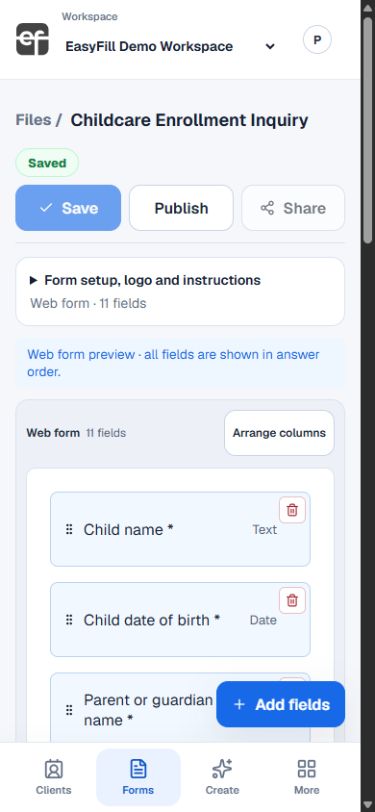
Real EasyFill mobile interface · Demo data
Keep questions short, group related answers, and test the form at phone widths. Use email, phone, and date types so the input experience matches the question.
For PDF workflows, review the available document and form views. Check zoom, field focus, and signatures on the devices your audience actually uses.
Test navigation, save-and-return behavior, and the completed PDF. Browser settings, keyboard size, and long answers can affect the experience.
Download EasyFill.ai on Google Play and sign in with your existing account. The iPhone app is coming soon. You can also use app.easyfill.ai in your browser.
Start with a clear question, review the result, and share when you are ready.
See the features →