Customize a template
Narrated, captioned screenshot walkthrough using demo data. Browse Templates, choose a category, preview the questions, customize, and create your draft.
Short walkthroughs with voice narration and on-screen captions. These examples use a dedicated demo workspace and fictional information.
Browse templates →Log in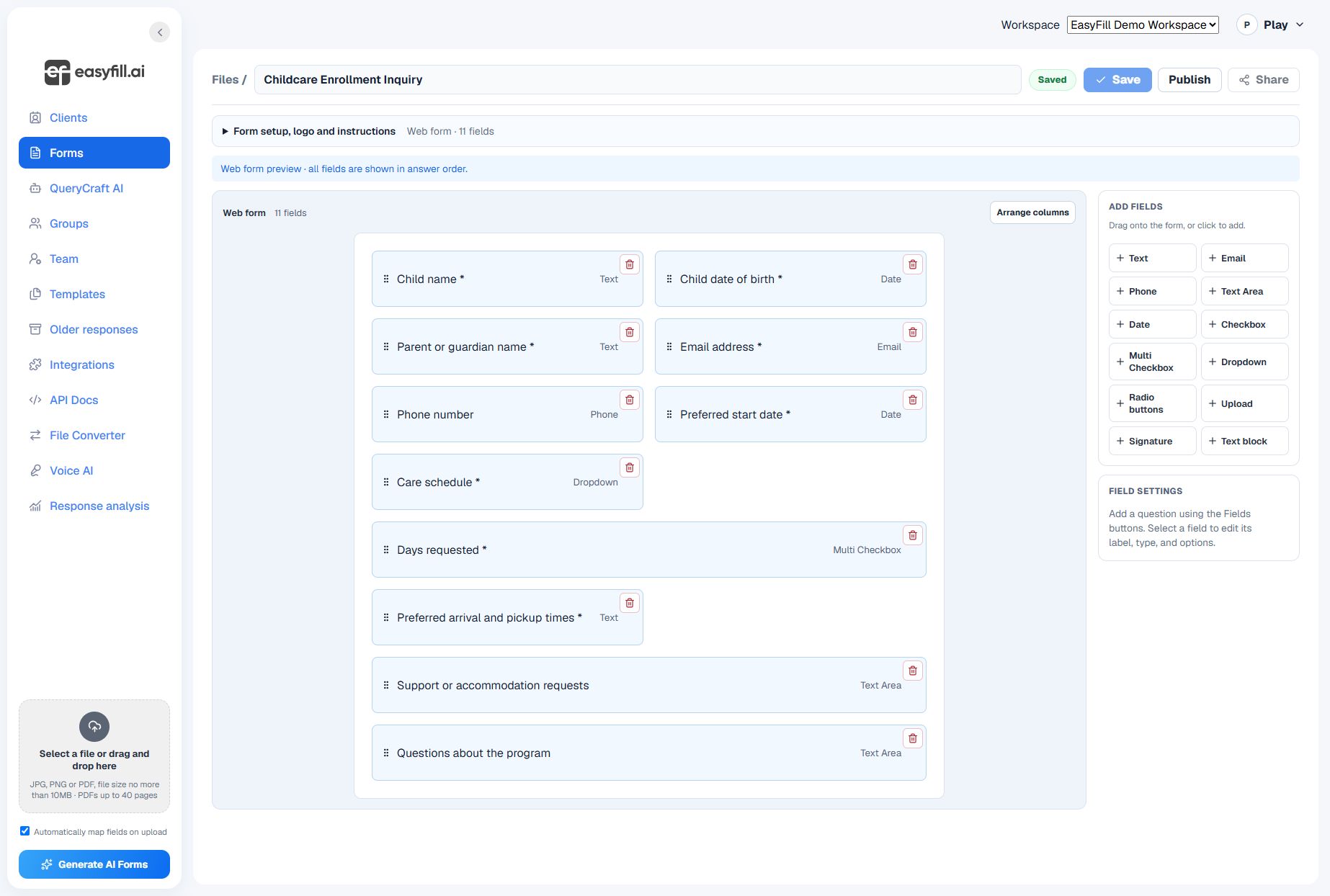
Narrated, captioned screenshot walkthrough using demo data. Browse Templates, choose a category, preview the questions, customize, and create your draft.
Narrated, captioned screenshot walkthrough. Open Clients, select New client, enter the contact details, review, and save.
Browse the library, choose a category, open a preview, and customize the questions. Review the draft in the editor before publishing.
Open Clients, choose New client, and enter the contact details in the popup. Save a profile only after reviewing its information.
Check every question, test a sample, save, and publish. Use the new form’s current link or embed code on your website.
Upload your PDF, review automatic mapping for the document or selected page, and adjust the fields. Test a sample submission and the completed PDF before sharing with clients.
Start with a clear question, review the result, and share when you are ready.
Browse templates →